

Plugin Information
The WordPress Shopping Cart plugin gives you the ability to quickly and seamlessly integrate an online shop with a fully functional shopping cart into any WordPress website. You can start selling any types of products and/or services online with very little effort!
It includes different payment gateways and shipping methods that make it easy for your customers to order products safely online. It automatically sends invoices to your customers which include shipping, tax, and handling fees.
With the Shopping Cart plugin from Tribulant, you can specify tax and currencies for different countries. You can link your suppliers to the shopping cart, which help with speeding the time of delivery of products.
Take your WordPress e-Commerce to a new level the easy way! No fuss, no hassle, simply conversion!
Create an online store
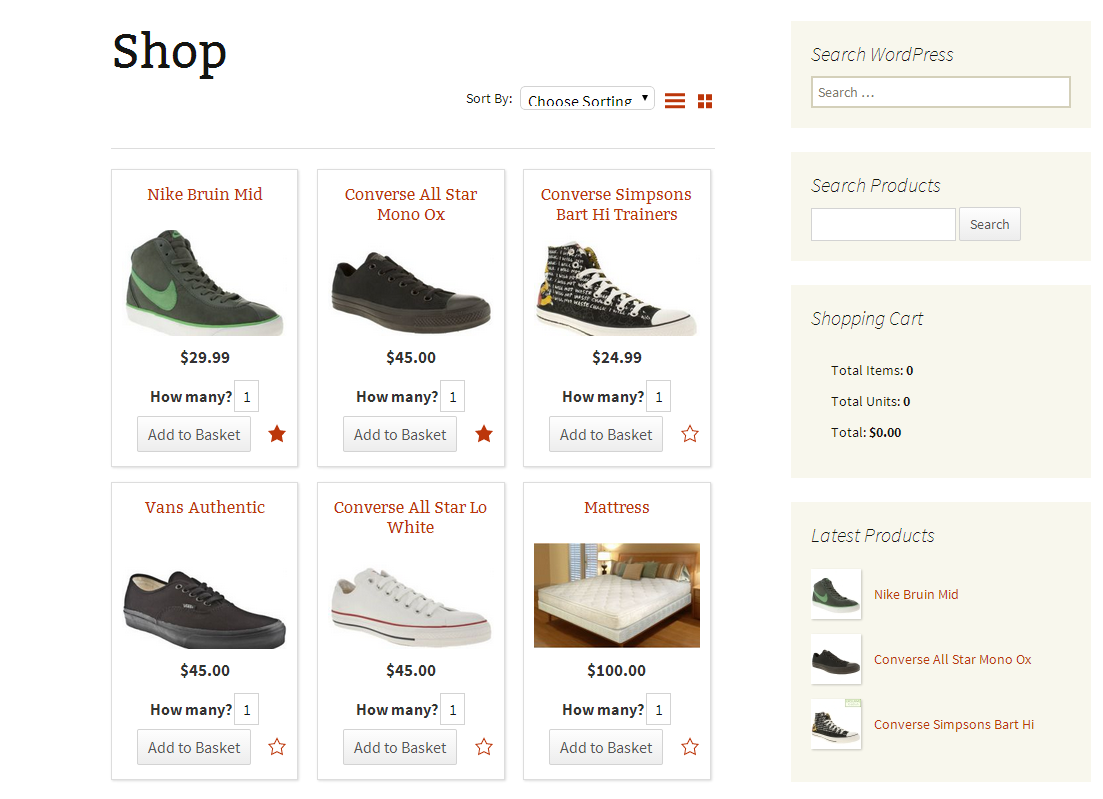
You can set up your multiple products and organise them into multiple categories. Add additional images to showcase your products so that users know what they are buying. When needed, easily add digital downloads to products so that users can securely download paid or free files from your website.
With suppliers, shipping methods, payment gateways, product variations/custom fields, product inventory, affiliate products, discount coupons, and many other amazing features, you can run a full-featured online WordPress shop that suits your needs.

Payment Methods
Multiple payment methods/gateways, including PayPal (Standard & Pro), Stripe (extension), PayGate (XML), 2Checkout, MoneyBookers, Google Checkout, First Data (Linkpoint & YourPay), eMatters (HTTPS POST), LUCY (Cynergy Data) - Priority Payment Systems, Realex Payments - Global Payments (Realauth redirect & remote), Ogone Ingenico ePayments PSP (e-Commerce), Authorize.net (AIM), eWAY (Shared), Virtual Merchant, WorldPay, credit card (Manual POS), bank wire, and manual/custom payments. You can use multiple payment gateways simultaneously and your customers can choose their preferred way of paying during checkout.

Shipping Modules
The shopping cart plugin currently has Canada Post, Australia Post, USPS, UPS, and FedEx shipping modules integrated which will calculate shipping rates and services on the fly for your customers during checkout.
Discount Coupons
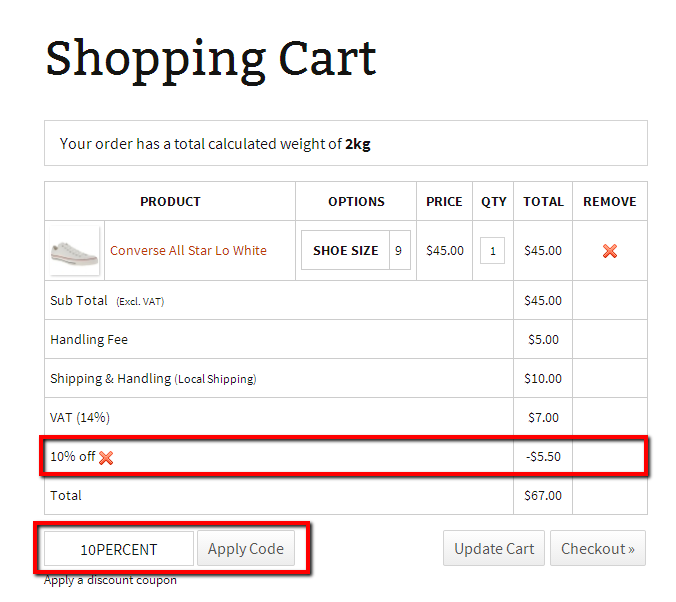
Give customers discount by using our discount coupon system. Generate a code for a discount or automatically set a discount without the need of using a code. It motivates customers to buy your product or make use of your service when you give them a discount coupon.
Multilingual Ready
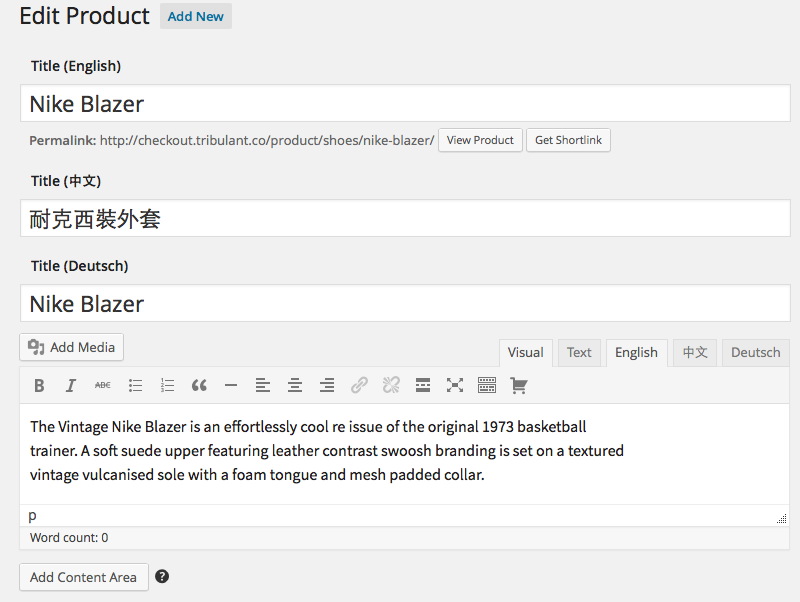
Use this (m)qTranslate extension to fully translate your WordPress Shopping Cart in multiple languages. You can save products, categories, suppliers, custom fields, variations & options and much more in multiple languages as needed. It works with both qTranslate and mqTranslate.
Plugin Features
- Product Categories
- Multiple Products
- Affiliate Products
- Image Galleries
- Digital Downloads (MP3s, PDFs)
- Additional Product Images
- Product Styles/Swatches
- Discount Coupon Codes
- Pricing Tiers/Levels
- Minimum Order Setting
- WP Post/Page Embedding
- Multiple Payment Methods
- PayPal Gateway
- PayPal Surcharge
- Stripe Gateway
- MoneyBookers Gateway
- Google Checkout Gateway
- 2Checkout Gateway
- WorldPay Gateway
- Virtual Merchant Gateway
- Bank Wire
- Manual Payments
- Credit Card (POS)
- Ajax Powered Features
- Custom Dynamic Fields
- Product Suppliers
- Buy Now Mode
- Shipping Methods
- Content Tabs
- TinyMCE Button
- Tax/Vat Calculation
- Authorize.net Gateway
- Realex Payments Gateway
- Ogone PSP Gateway
- PayGate Payment Gateway
- PayPal Website Payments Pro
- BluePay Payment Gateway
- eMatters Gateway
- Multiple Shipping Methods
- Ajax Shopping Cart
- Weight Based Shipping
- eWAY payment method
- Products Inventory
- Australia Post Shipping
- Canada Post Shipping
- FedEx Shipping
- USPS Shipping
- Multiple, regional Tax rates
- Favorite Products
- Built-in GZIP Compression
- PDF Invoices
- Supplier Login
- Recurring Payments
- Multilingual
Plugin Screenshots
-

Extension Plugin
Install (m)qTranslate as an extension plugin in addition to the core Shopping Cart plugin to add the multilingual functionality.
-

Statistics Overview
In the plugin dashboard, a summarized statistics table is shown with counts for each model and your total income.
-

Manage Extension
Easily install, active and start using your FastWay extension plugin to fetch shipping services/rates for your customers.
-

Easy Configuration
Quick and easy configuration settings to start selling with the Suncorp payment gateway within minutes.
-

Products Loop/Paging
On category and supplier pages, the product loop/paging is shown with a list of all the products. It shows a small product thumbnail, a truncated description, the price and more.
-

Quick Checkout
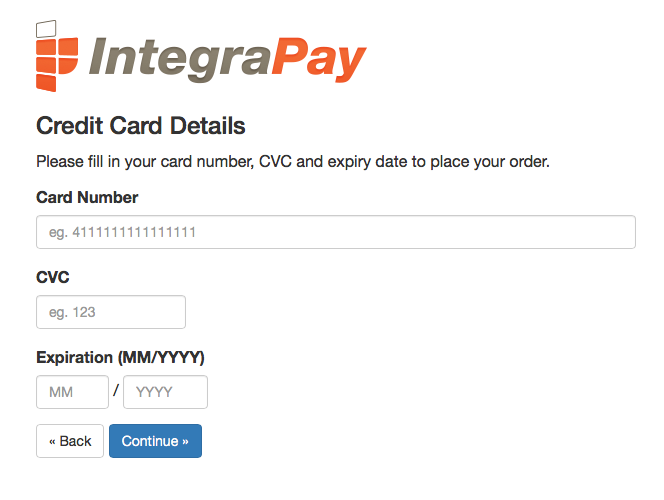
Customers are kept on your site at all times while they fill in their credit card details to be processed and charged.





Plugin Showcases
Plugin Support
Demonstration
- User/client side
- Administration panel
(log in with username/password demo)