

Plugin Information

Manage frequently asked questions on your WordPress website with the WordPress FAQ plugin. The FAQ plugin integrates flawlessly with the new WordPress administration interface.
This FAQ software comes with a full featured administration dashboard where you can manage question groups and questions. A configuration section is available where you can tweak the plugin according to your needs and preferences.
On the front-end of your WordPress website, users can browse through your FAQs, flipping through your questions with an easy to use sliding accordion feature. Users can search the FAQs and also submit questions of their own.

User Interaction
Users can ask questions on the front-end and after the admin approval the user can see the answer. This questions and answers are visible to all users on the site.
Allow your users to interact on the front-end where your FAQ question groups are displayed. When creating a question group, you can enable these features if needed/wanted.
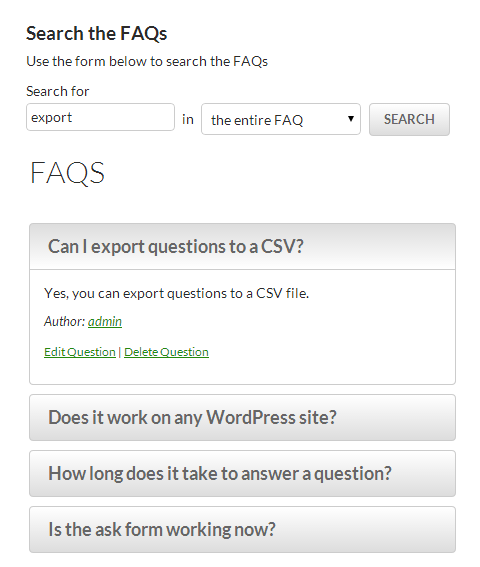
Search Form
With the search form, users can type in a keyword or keyword phrase to quickly find questions within an FAQ question group or within the entire FAQ database. Both questions and answers are searched for the submitted keyword.
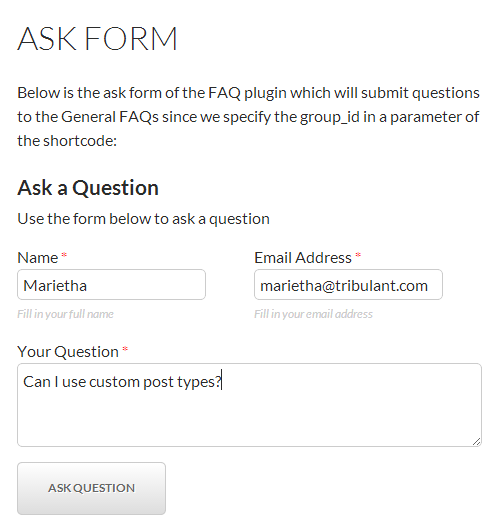
Submission Box
Your users can submit questions to an FAQ question group. You have the ability to choose whether or not they have to be registered (and logged in) in order to post questions.
All submitted questions will be inserted into the database with an unapproved status, and you receive an email notification so that you can answer and publish them.
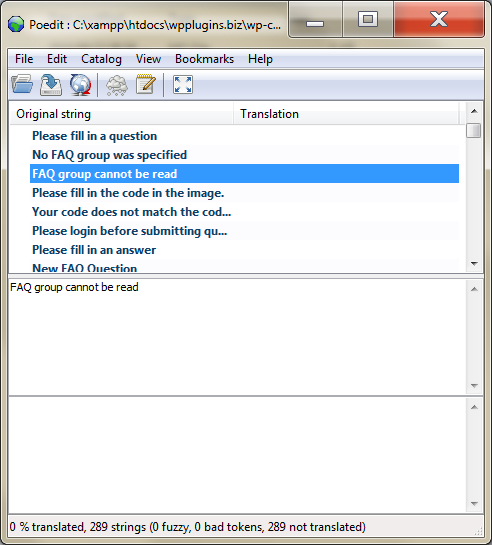
Translation/Localization
The WordPress FAQ plugin is ready to be translated into your own preferred language using any of the given WordPress translation methods.
Please read more about translating a WordPress plugin.
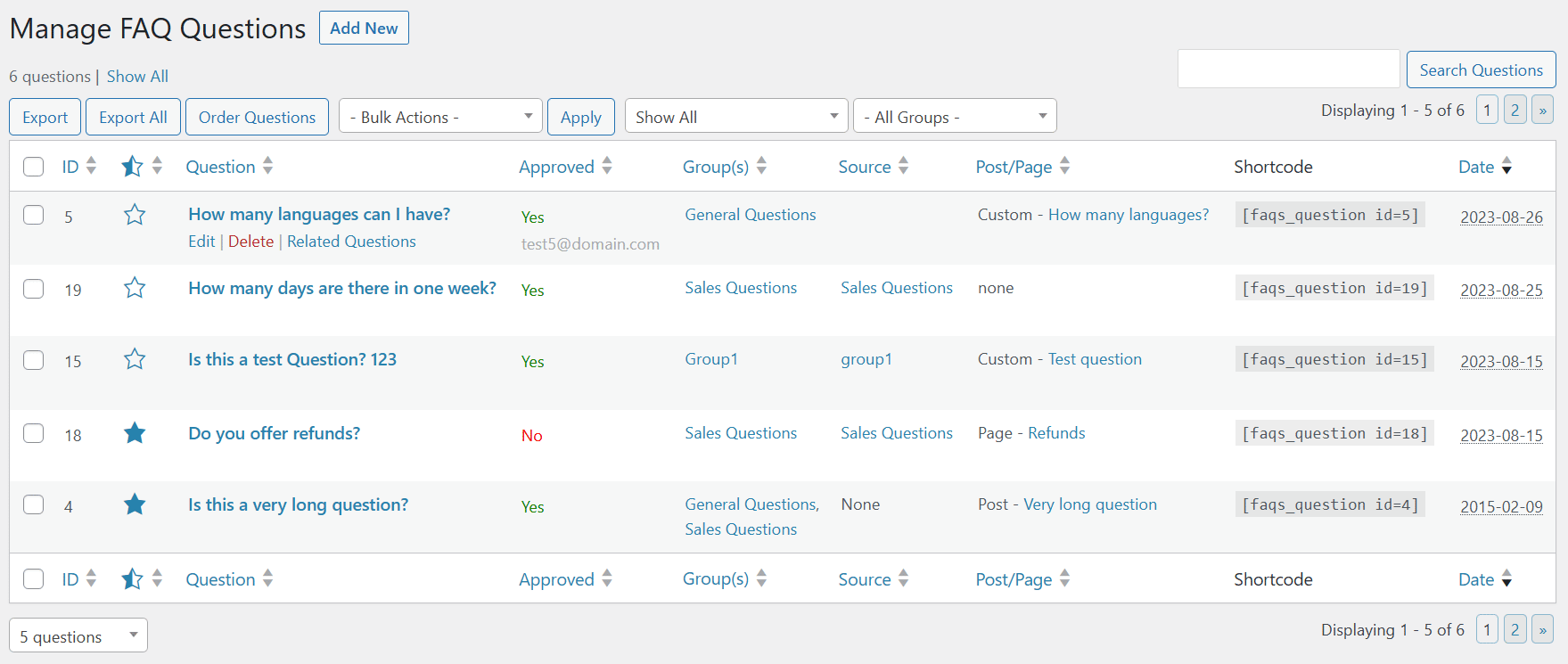
Management Made Easy
Overall management throughout the plugin is extremely user-friendly and efficient so that you can focus on getting great content out to your readers.
Create groups to organise questions asked by users. You can even assign a question to multiple groups. By creating groups, you make it easy for other users to find an answer they are looking for.
Plugin Features
- Question Groups
- Manage Question Sets
- Ajax Features
- User Submissions
- User Search Form
- Accordion Sliding Feature
- Mass Actions
- Built in image gallery
- Order/Sort Groups
- Order/Sort Questions
- Auto Approve Questions
- Translation/Localization
- Updates Notification
- Captcha Image
- Group Posts/Pages
- Question Posts/Pages
- Related Questions
- User Notify on Answer
- Admin Question Notifications
- Dashboard Widget
- Multilingual with (m)qTranslate
- Featured Questions/Answers
Plugin Screenshots
-

TinyMCE Button
Easy as 1,2,3! With the built-in TinyMCE button you can insert groups, questions, search boxes, etc into any WordPress post/page without hassle.
-

Ask a Question
Users can ask questions in your FAQ and you can turn on email notifications so that they are notified when a question is answered.
-

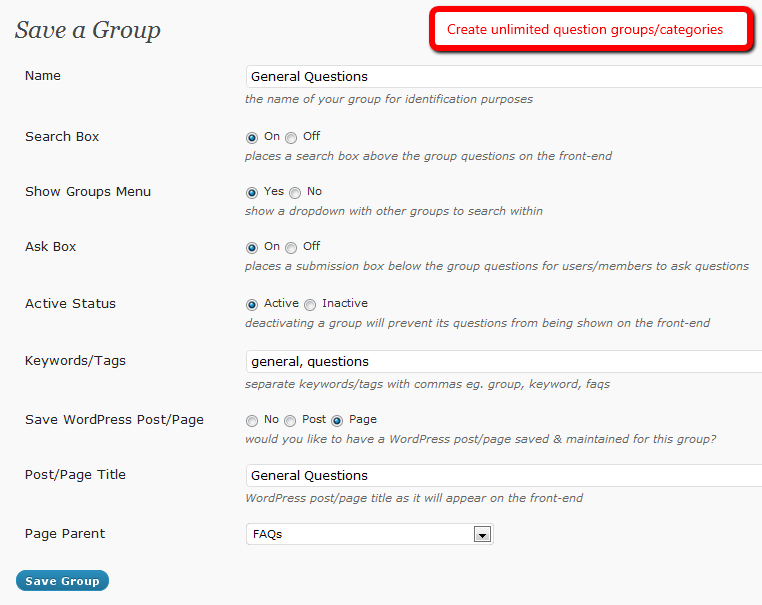
Save a Group
Create FAQ groups/categories into which your questions will be organized. Several flexibility settings are available when saving a group.
-

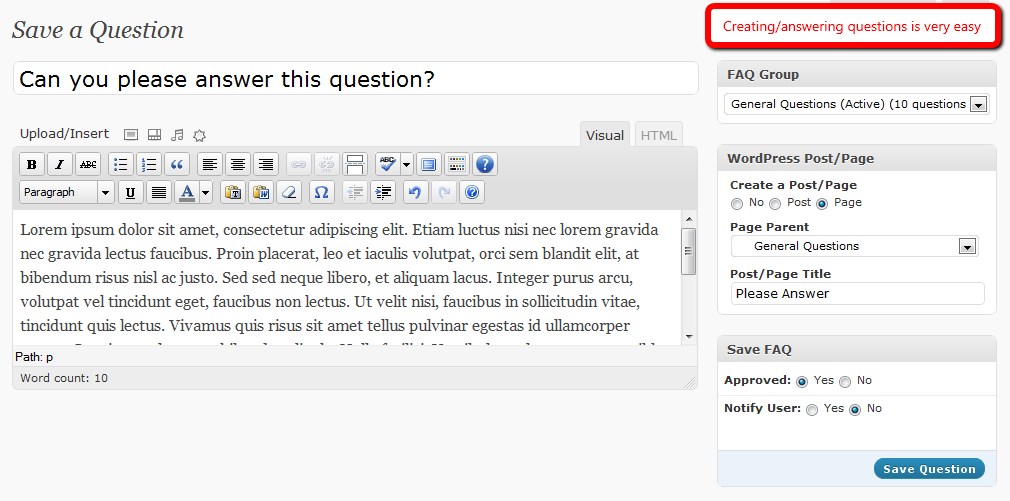
Save a Question
Create/answer questions with a full featured WYSIWYG editor and options that give you the necessary flexibility.
-

Questions Widget
Display FAQ questions in your WordPress sidebar(s) and choose the number of questions to display with full control over sorting/ordering. You can display latest questions for example.
-

Theme & Custom CSS
We understand that you are most likely to modify the look and feel of your FAQ so we present you with a custom theming system to modify your own template files and a custom CSS feature for quick adjustments.




Plugin Showcases
Plugin Support
Demonstration
- User/client side
- Administration panel
(log in with username/password demo)